01 DAW In beta

BAY
PLAN.

Our own DAW, built from the engine up

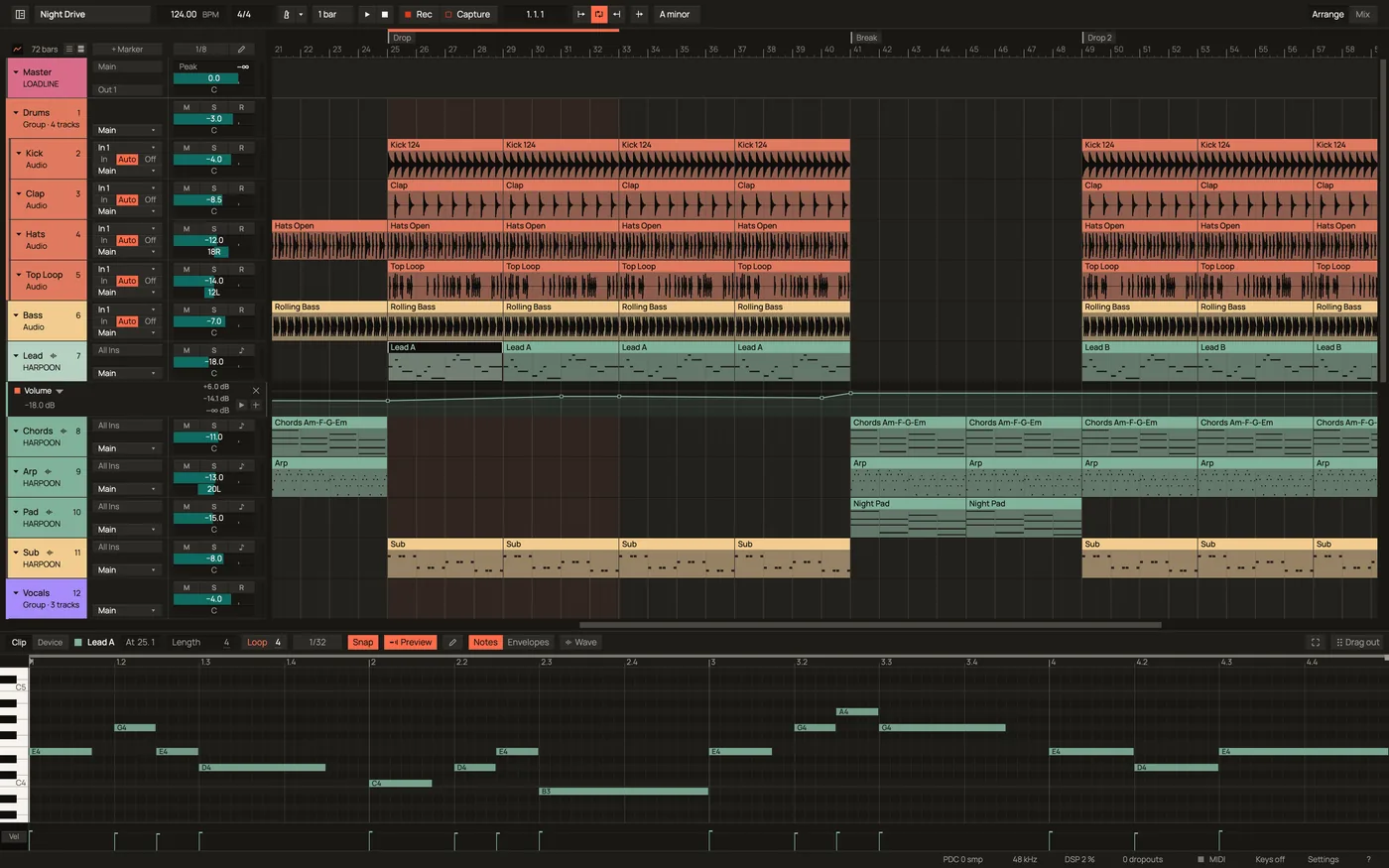
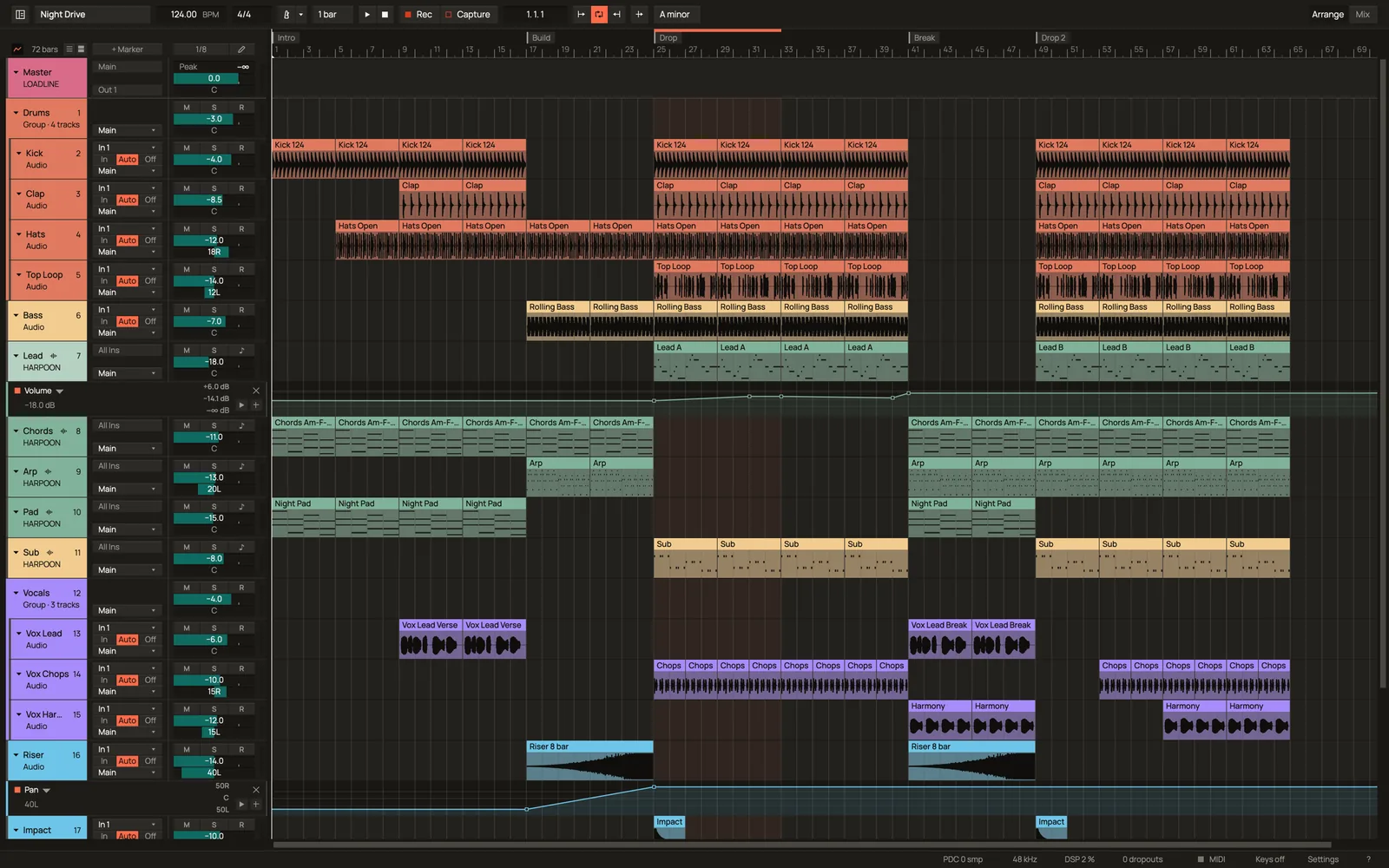
A bay plan is how a ship is loaded: bays, rows and tiers on a grid. BAYPLAN loads a song the same way: tracks, sections and clips on one clear Arrange page, with a mixer and every CREWPORT device built in.

BAYPLAN · ArrangeNight Drive · 72 bars
BAYPLAN Arrange view of the demo song Night Drive: seventeen coloured tracks in drum, music and vocal groups, clips laid out from Intro through Build, Drop and Break to Drop 2, with volume and pan automation lanes
In testing

BAYPLAN LIGHTERA DAW inside your DAW

The same engine and the same Arrange page, running as a plug-in in your main DAW or on its own. Sketch the idea, then drag it back out.

  • Arrange and mixer, the same as the full app
  • Our own time-stretch engine and vocal pitch editor
  • Every CREWPORT instrument and processor inside
  • Drag clips out as MIDI or audio
BAYPLAN LIGHTER: the Arrange page with drum, bass, lead, chord and pad tracks, and the Clip panel open below on a lead MIDI clip, with its notes, velocities and the Drag out button
In beta

BAYPLANThe full DAW

Same engine, made for engineers and producers who can't afford surprises.

  • Sample-accurate timing and delay compensation everywhere
  • Recording with takes and comping
  • Nothing lost if something crashes
  • Every CREWPORT instrument and processor inside
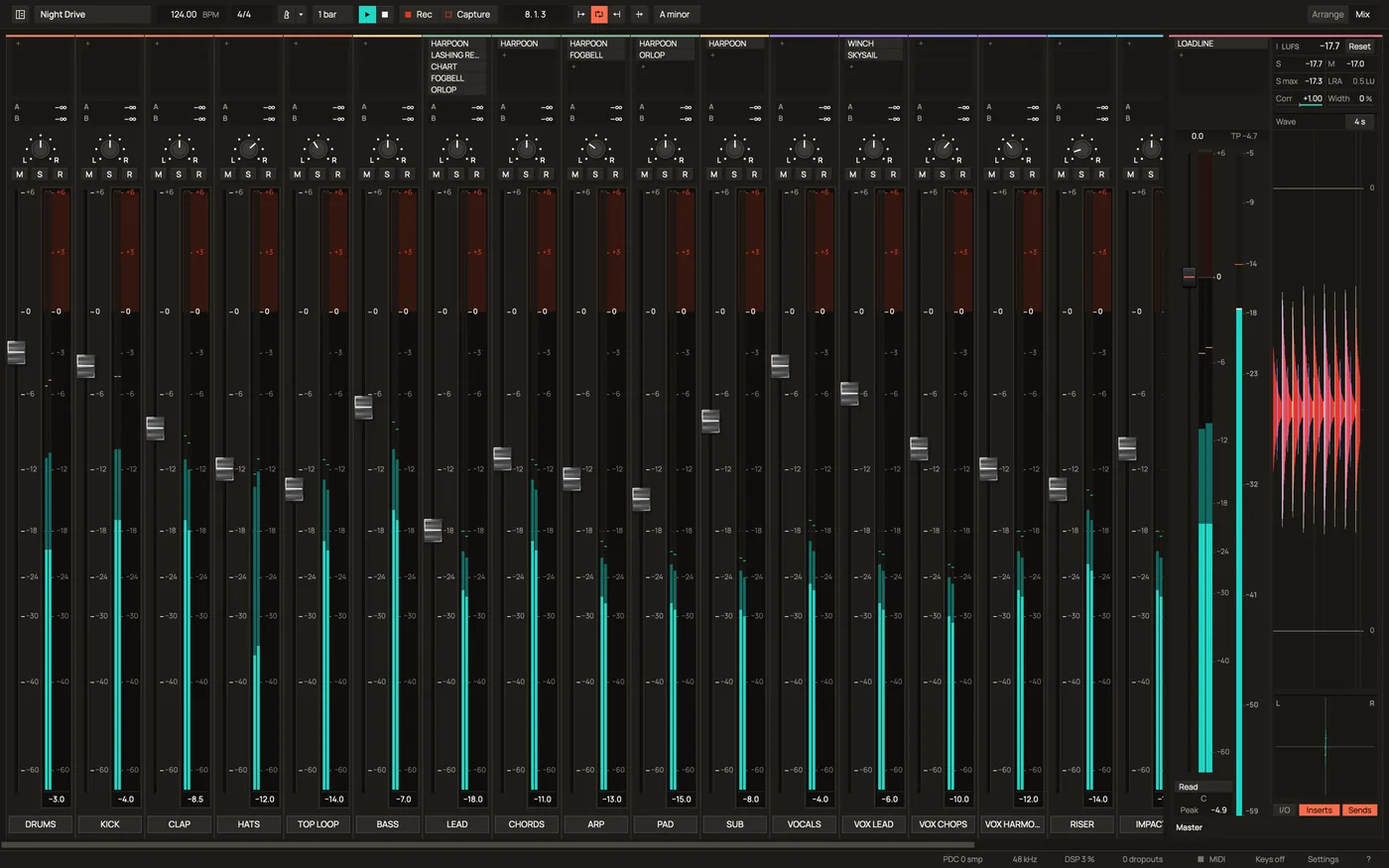
BAYPLAN Mix view: seventeen named channel strips with CREWPORT inserts, live meters and faders, and the master with loudness in LUFS, true peak, a waveform and a stereo field

Devices

Every device on one strip.

Instruments and processors sit side by side under the track, each card showing its own face.

  • Time-stretch in four modes: Re-Pitch, Beats, Voice and Poly
  • Takes and comping, plus a vocal pitch editor
  • Automation: Read, Touch, Latch and Write
  • Groups, sends and sidechain from any track
  • Master loudness metering, true peak included
  • Drag a clip out as MIDI or audio
  • Delay compensation and a live dropout counter
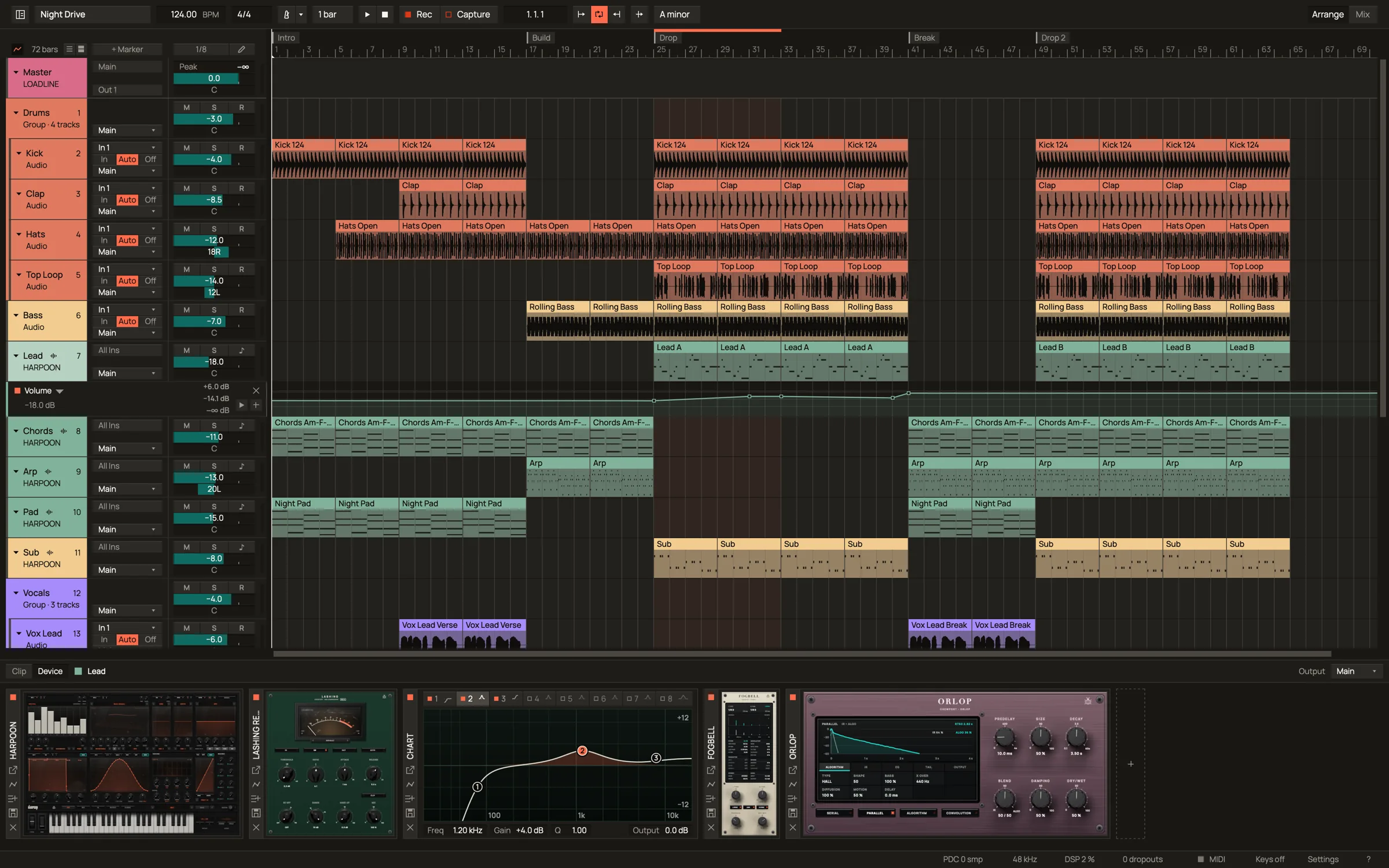
BAYPLAN Arrange view with the Device panel open on the Lead track: a strip of CREWPORT device cards, an instrument, a compressor, an EQ and two effects, each showing its own face

02 Wavetable synthesizer Test builds

HARPOON

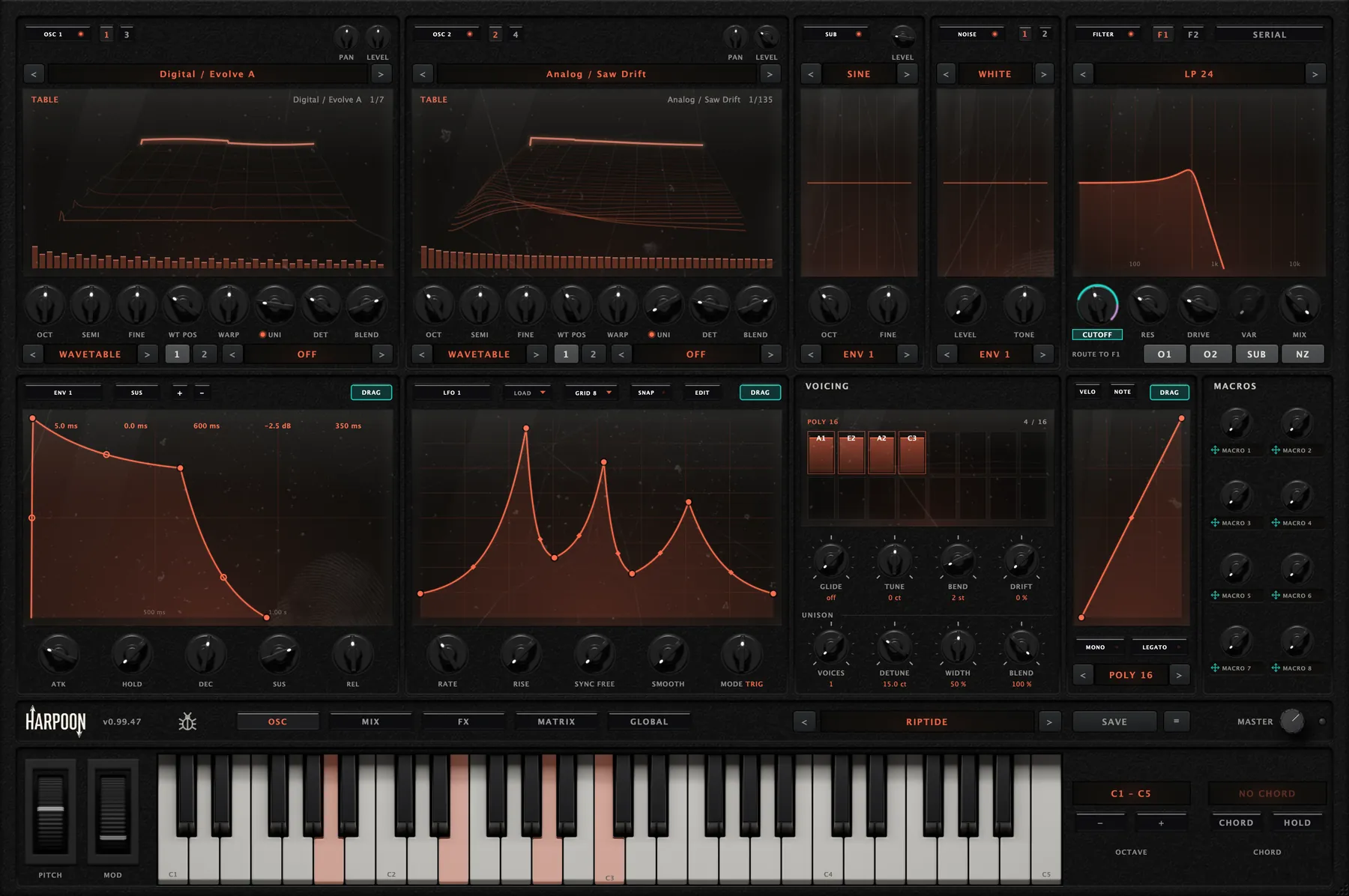
Built for bass and modern electronic sound design: four oscillators with warp modes, sub and noise layers, two filters and a full rack of studio effects, with a library of ready presets.

HARPOON synthesizer playing the RIPTIDE preset: two of its four oscillators with their wavetables, sub, noise and a low-pass filter on top, envelope, LFO, voicing with a held chord and macros below, and a keyboard at the bottom
OscillatorsFour oscillators: wavetable, spectral or sample, with warp modes
LayersSub and noise for weight and air
FiltersTwo filters, dozens of types, serial, parallel or split
ModulationMatrix, 10 drawable LFOs, 4 envelopes, eight macros
FX rackDelays, reverbs, modulation, drive, EQ and more
PresetsOur own library, ready to play

03 Instrument In testing

DRYDOCK

Drum rebuilder

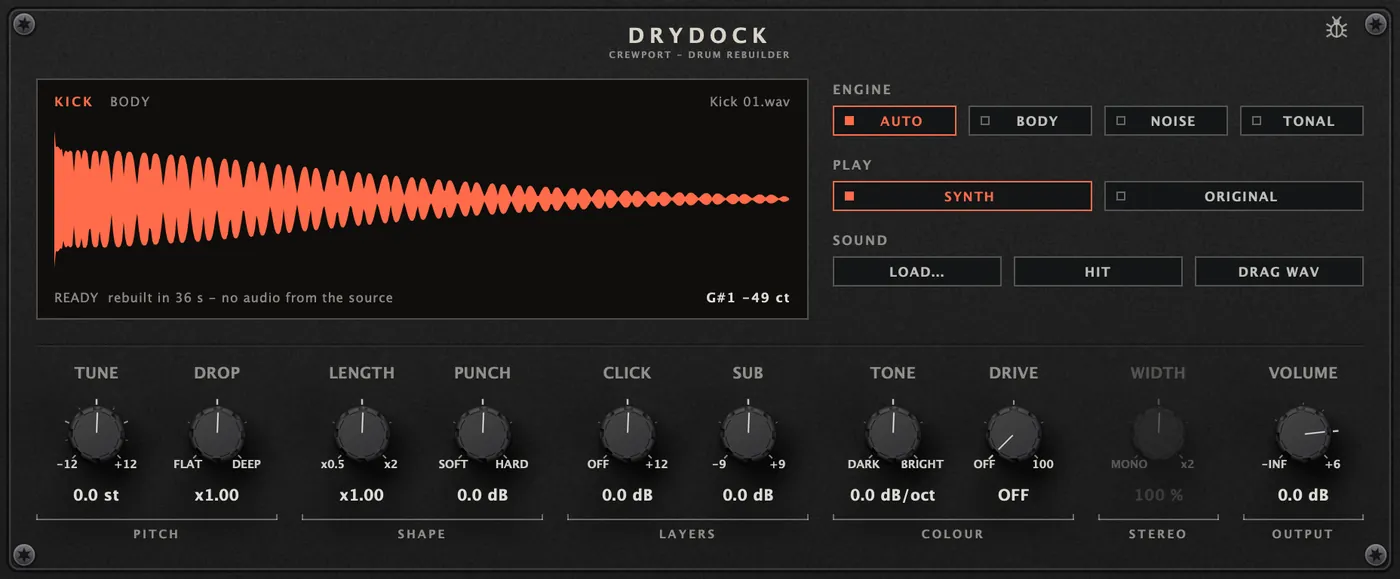
Drop in a hit you like. DRYDOCK works out what it is and rebuilds it as a playable, tweakable synth drum.

  1. Drop a sound. Kick, snare, clap, hat or perc.
  2. It recognises the hit and picks an engine: body, noise or tonal.
  3. Reshape it. Tune, drop, punch, click, sub, drive and width.
DRYDOCK drum rebuilder with a kick loaded: the display shows the kick waveform recognised as Kick Body and ready, engine set to Auto, play set to Synth, and knobs for pitch, shape, layers, colour, stereo and output

04 Drum replacer In testing

STRIKER

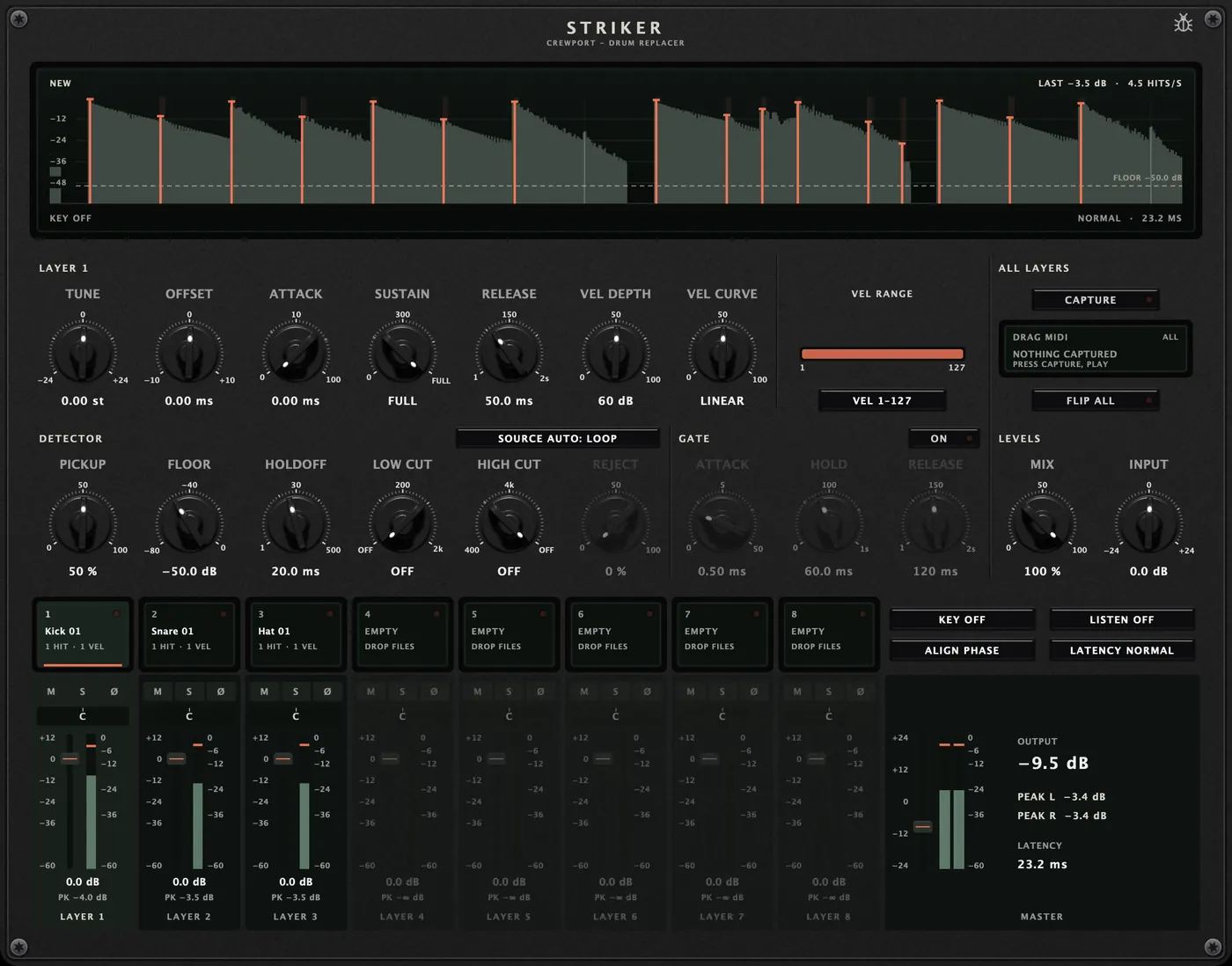
Replace or reinforce live drums, from a single close mic to a full loop.

  • Catches every hit, even inside a busy drum loop
  • Up to eight sample layers with velocity and round robin
  • Click a hit on the screen and a slot follows that sound
  • Phase alignment, mix control and MIDI capture you can drag to a track
STRIKER drum replacer at work: a running drum waveform with every detected hit marked, kick, snare and hat layers loaded with live meters, detector and layer controls, and the master output

05 Dynamics In testing

The compressor bay

Four units for the jobs you do on every mix: grab, glue, catch the peaks and make it breathe.

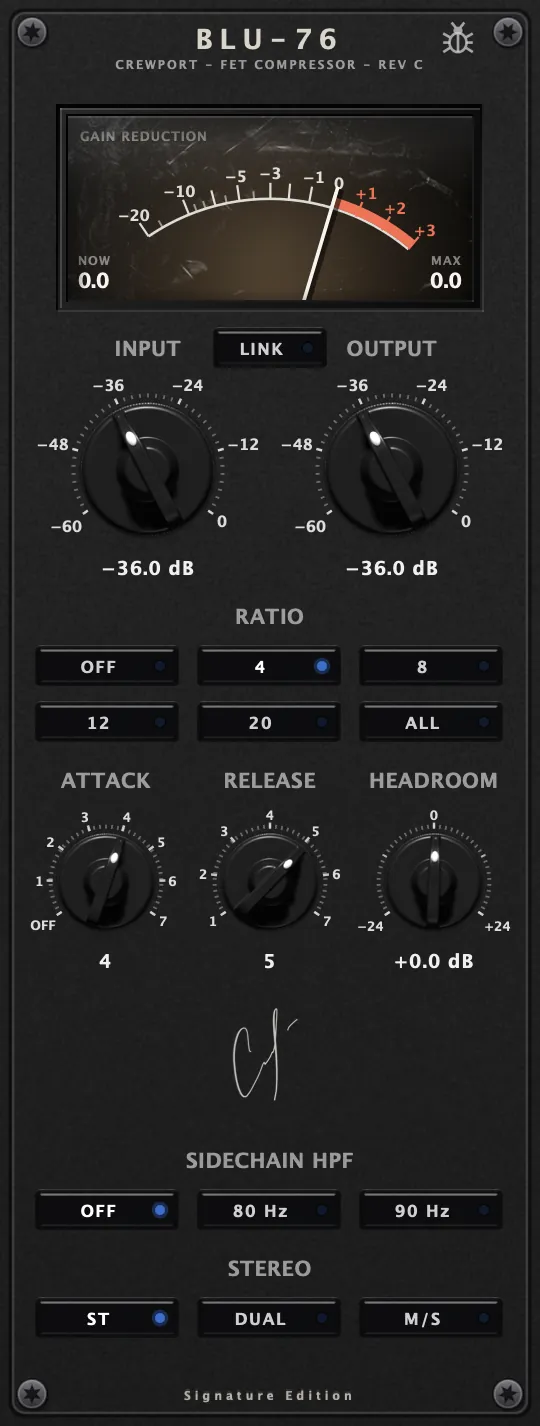
BLU-76 FET compressor with a gain reduction meter, input, output, ratio, attack and release
BLU-76FET compressor
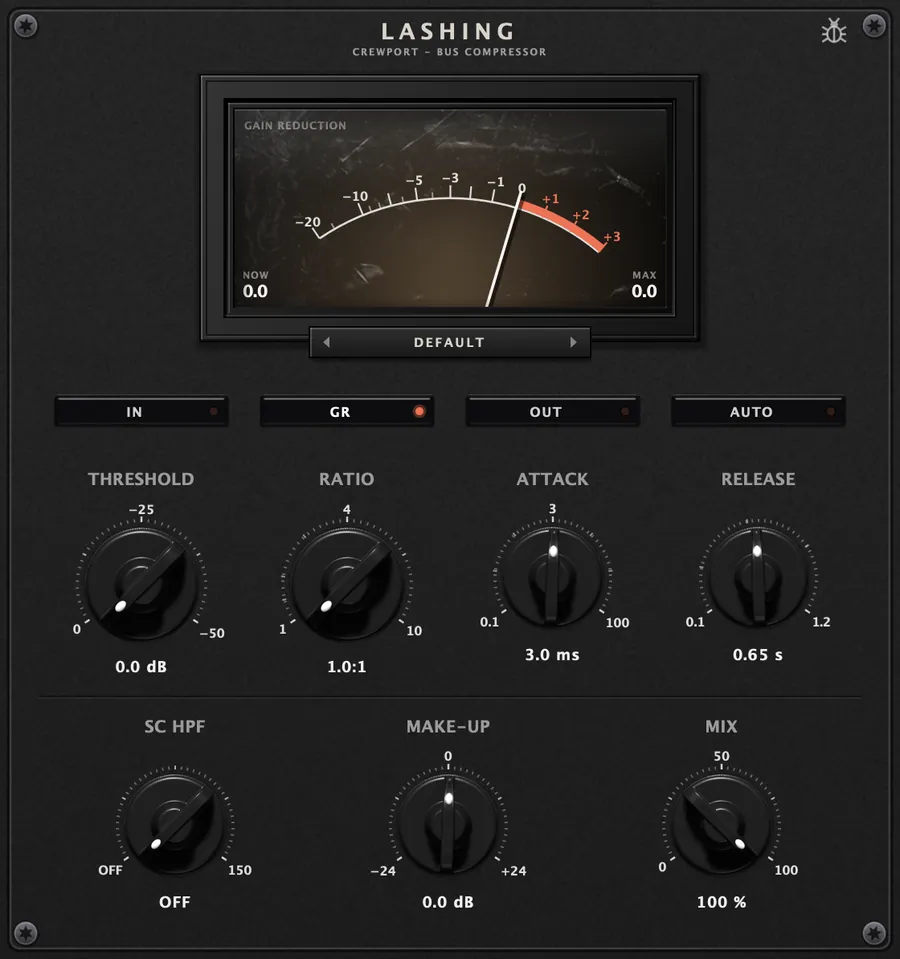
LASHING bus compressor with a gain reduction meter, threshold, ratio, attack, release, sidechain filter, make-up and mix
LASHINGBus compressor
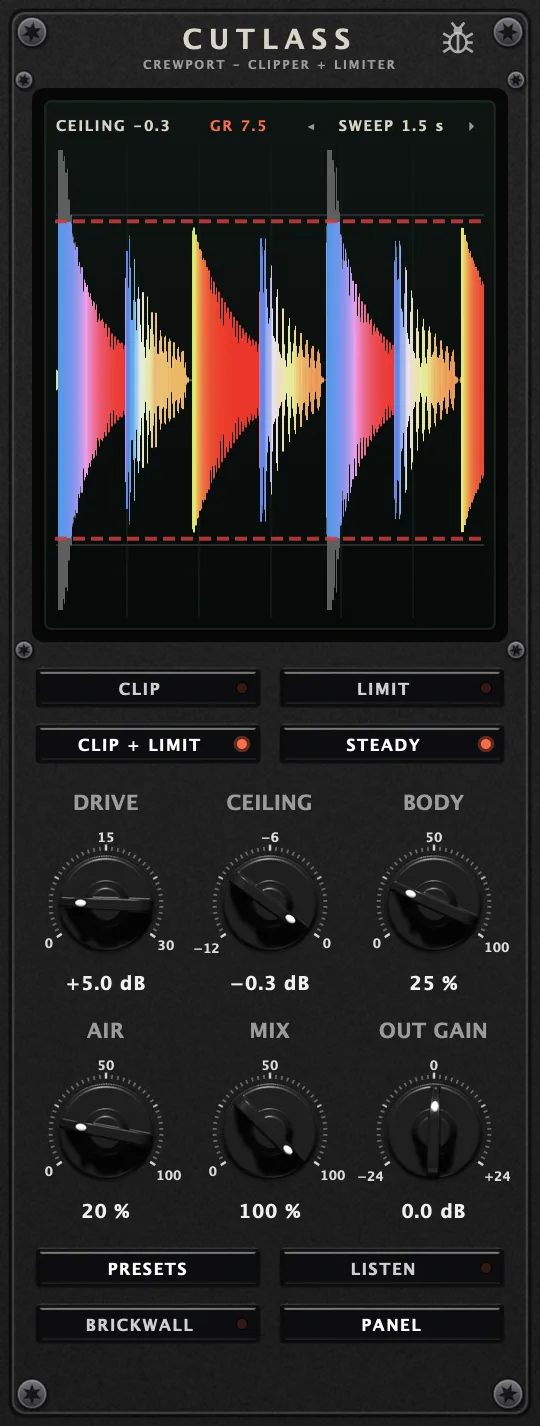
CUTLASS clipper and limiter at work: a loud running signal on the scope with peaks clipped at the ceiling and 7.5 dB of gain reduction, clip plus limit mode, drive, ceiling, body, air, mix and output
CUTLASSClipper + limiter
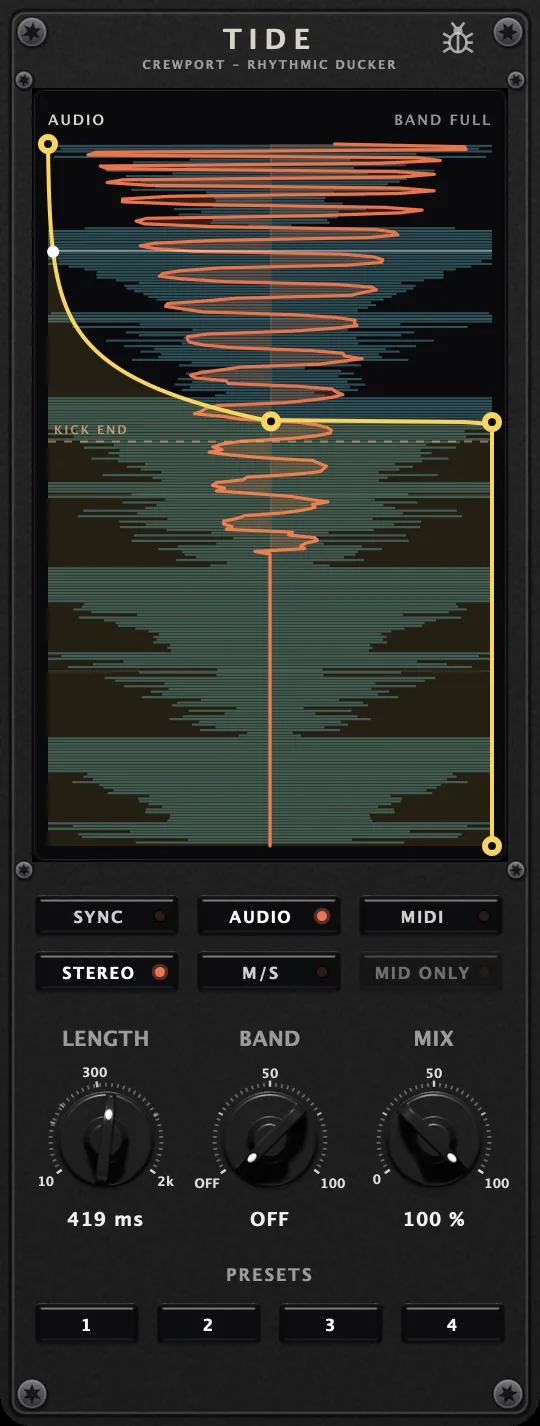
TIDE rhythmic ducker at work: the incoming kick drawn over a ducking curve shaped like the kick, a running waveform below, audio trigger mode, length, band and mix
TIDERhythmic ducker

06 Multiband compressor In testing

FAIRLEAD

Three bands, upward and downward compression in each. Lift the detail, tame the peaks, and set the whole thing with one amount knob.

FAIRLEAD multiband compressor rack unit: crossover, timing and output controls on top, three band meters and upward and downward compression controls below

Swipe to see the whole unit →

07 Gain staging In testing

FREEBOARD

VU meter with auto gain

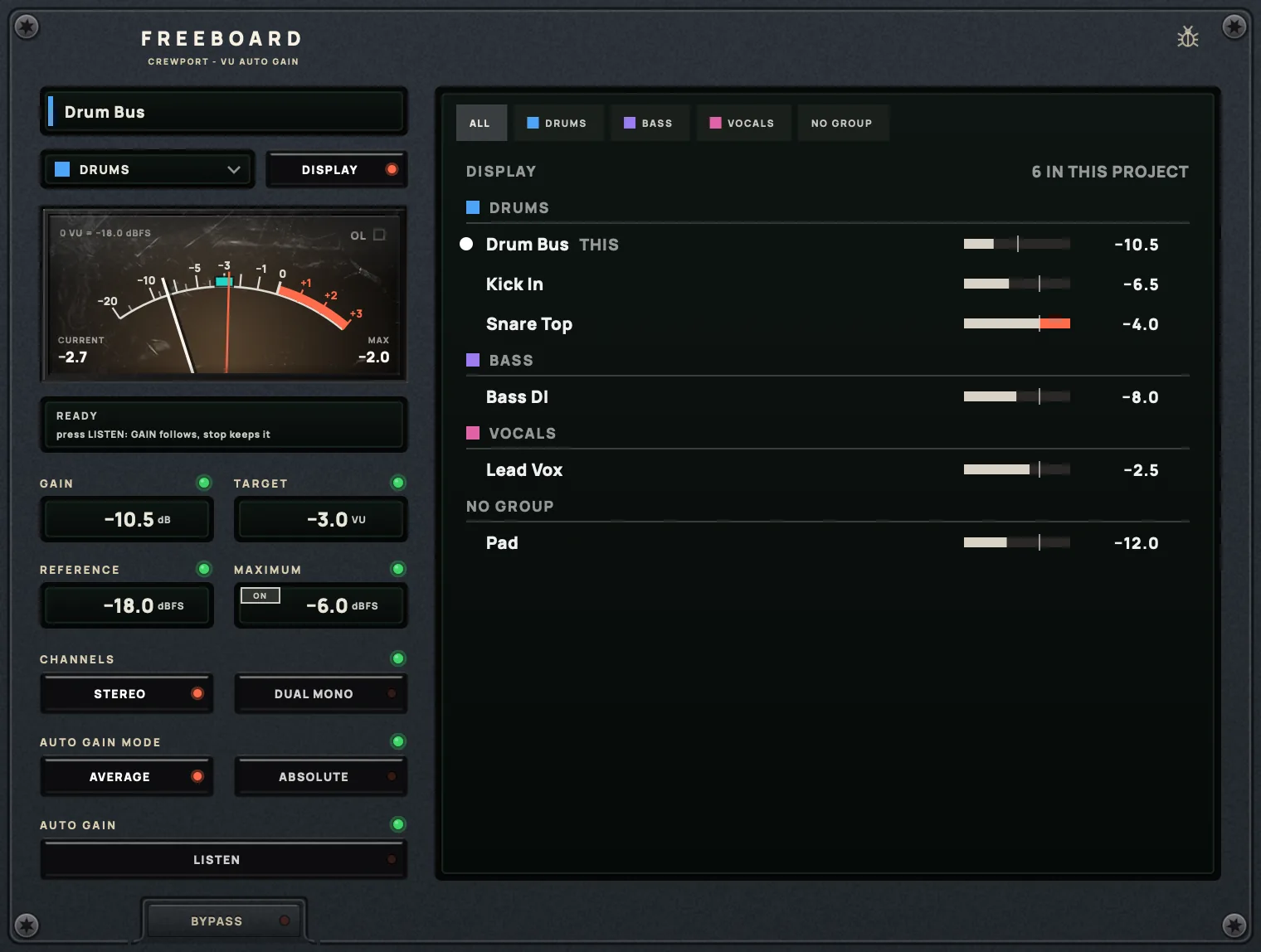
Press LISTEN while the song plays, and FREEBOARD sets each track's gain so its VU needle swings around your target, never past a sample-peak ceiling. Every FREEBOARD in the project sees the others, so you gain-stage the whole mix from one window.

  • VU needle with current and max readings and an overload lamp; in dual mono, a second needle for the right channel
  • Auto gain in two modes: Average dances around the target, Absolute never goes over
  • Reference level, target from −10 to +3 VU, and an optional peak ceiling
  • Stereo or dual mono, with separate left and right gain
  • One list of every FREEBOARD in the project, grouped, with live levels: set any track's gain from any window, or several tracks at once
  • Named, coloured groups; send any control to the group or to every instance
Get for free Free CREWPORT account
FREEBOARD on a drum bus: a VU meter with the needle near the target, gain at minus 10.5 dB, target, reference and peak ceiling, stereo or dual mono, auto gain mode and LISTEN, beside a list of six tracks in drum, bass and vocal groups with live level bars

08 Also on board

The rest of the fleet

One device for every job in the session, all in the same family look. Most are already in testing.

PitchSIRENReal-time pitch correction by key and scale, with glide and vibrato.
DynamicsTTE-343De-esser, split or wideband, with a listen switch.
DynamicsSTRESSCharacter compressor: eight ratios up to “nuke”, opto mode, drive voicings.
DynamicsHATCHGate and expander with voice, instrument and keyed-duck modes.
DynamicsBREAKERTransient shaper: attack, body and saturation, over a live waveform.
DynamicsWINCHCompressor with a transfer curve, RMS or peak detection and a key filter.
DynamicsLOADLINETwo-stage clipper and limiter with LUFS and true-peak readout.
EQCHARTEight-band dynamic EQ over a live spectrum.
EQSCRUBBERFinds and calms harsh resonances as they happen.
SaturationNYT-12Tube saturation for warmth and edge, with a VU meter.
ModulationLEEWAYAuto-pan and tremolo, song-synced, with seven shapes.
CreativeDRIPMelody FX: spread, pitch, heat, chorus, delay, reverb and shimmer.
CreativePITTINGDegrader that erodes the sound with sine or noise around a frequency.
UtilityTRIMMERGain staging with a VU meter and phase reverse.
SaturationKEEL STStereo saturator: nine curves, separate left and right drive.
InstrumentCARGOMelodic sampler with zones, slicing, stretch and grain.

09 Get in touch

Want to hear more?

Tell us who you are and what you make. Questions, ideas, or a request to try something early: write to us.

hello@crewport.io

Everything on this page is in development or testing. Names and features may change.